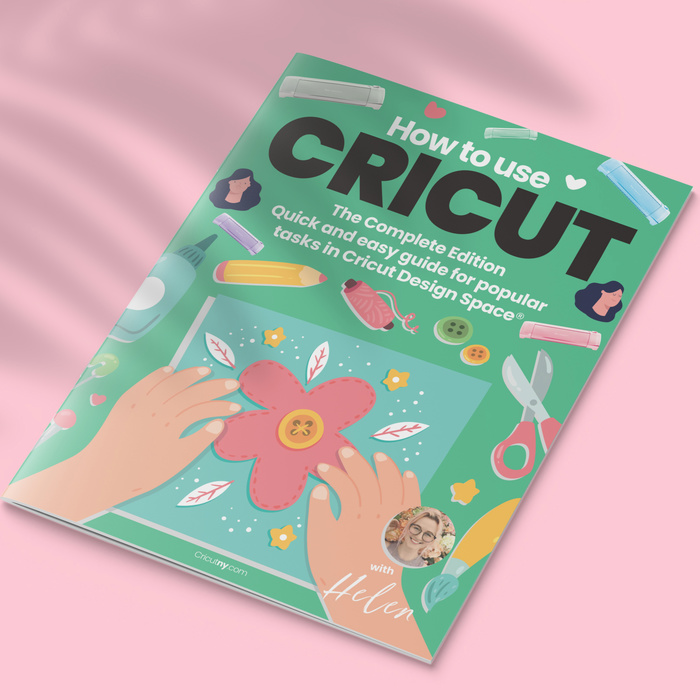
Cricut Guide Book
Cricut Guide Book
This is the perfect 100 pages Cricut book for the beginner. Do you wonder how to use Cricut design space on iPad and use Cricut design space on iPhone, Android, or desktop?
This Cricut pdf book will help you through all the steps making your crafting more enjoyable.
I will teach you how to install Cricut design space, start a new project, connect your Cricut machine via Bluetooth, weld, slice, contour, use text, group, upload images, and manipulate files on all devices; and so much more!
I highlighted the most common question with a heart ❤️ to make sure you find it easily.
The guide works for any Cricut machine:
The all-new Cricut Maker 3
Cricut Joy
Cricut Explore 3
You can print it from home or a store (Staples, Walmart …) and use a binder to make your own book. Or, you can read it from your computer, mobile or tablet.
As you can see from the image gallery, I created a book, and sometimes I am using it from the IPad in the shop here as well. Both are convenient.
This book worth $40 but it’s free, $0!
This Free Cricut book is available in PDF on your download page (Login and access your download page to download it), and it can be viewed on any device/computer.
Print your book or view it from your device!


available files.
Premium Bundle - 188 MB
The bundle includes PDF files in printable quality.
Compatible With

Cricut Design Space

Silhouette Studio

ScanNCut

Canva website

glowforge

All Cutting Machines

Procreate

Image processing software

Text processing software

Operating Systems